
Companion - mobile application
AutoBrief Companion is a mobile application that brings your vehicle business to your phone.
Because you often conduct business in the field or in a parking lot, the application is designed as an assistant that allows you to:
- quick vehicle photography,
- editing vehicle photos for sale,
- overview of inventory in the field.
The application is constantly evolving and is currently available in a test version for:
- iPhone (App Store)
- Android (Google Play)
Login to the application
After downloading the application to your phone, when you open it, the login screen will appear.
New users
If you are not yet using AutoBrief:
- Select the option Registration
- Enter your details
- Create user account
Important: By registering with AutoBrief Companion, you also automatically create a free AutoBrief account, which you can later use on your computer.
Existing AutoBrief users
If you already use AutoBrief:
- Select Login or Login with QR code
- Enter the same username and password as you use for AutoBrief
- The application automatically connects to your existing vehicle inventory.
If you select login with QR code, open your AutoBrief user account and under settings select login with the AutoBrief Companion application.
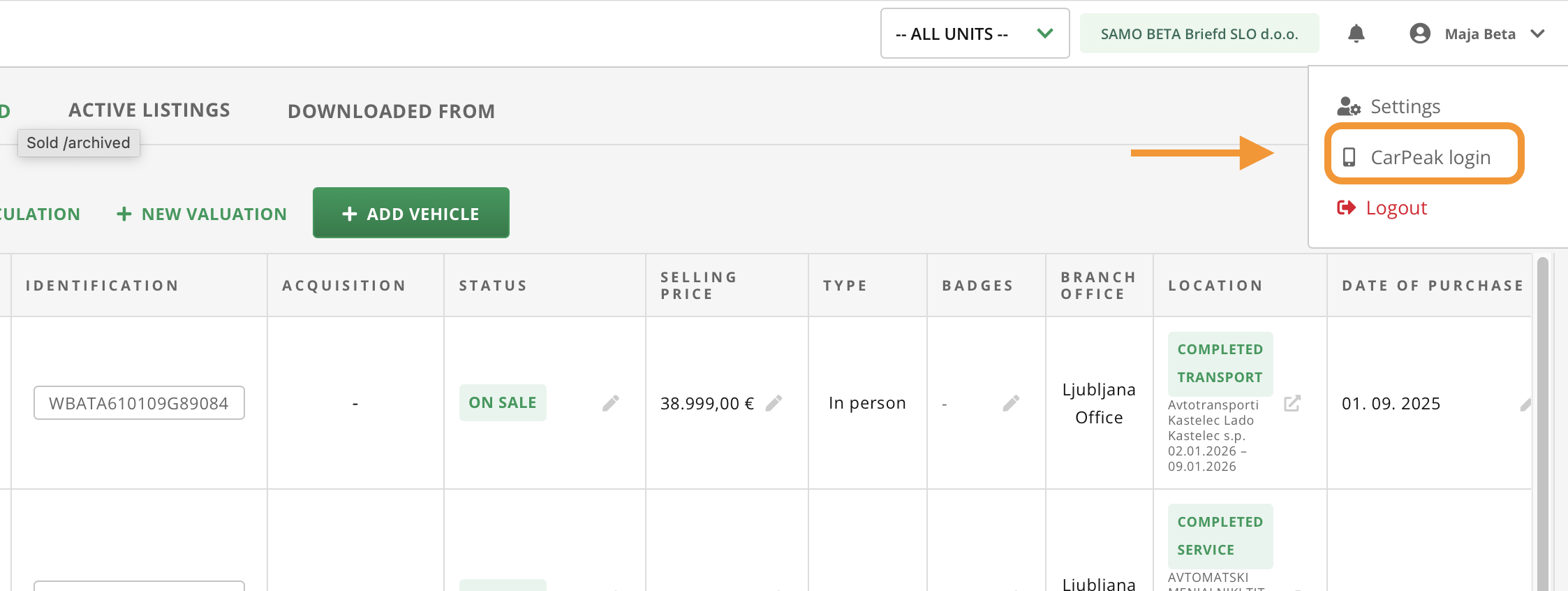
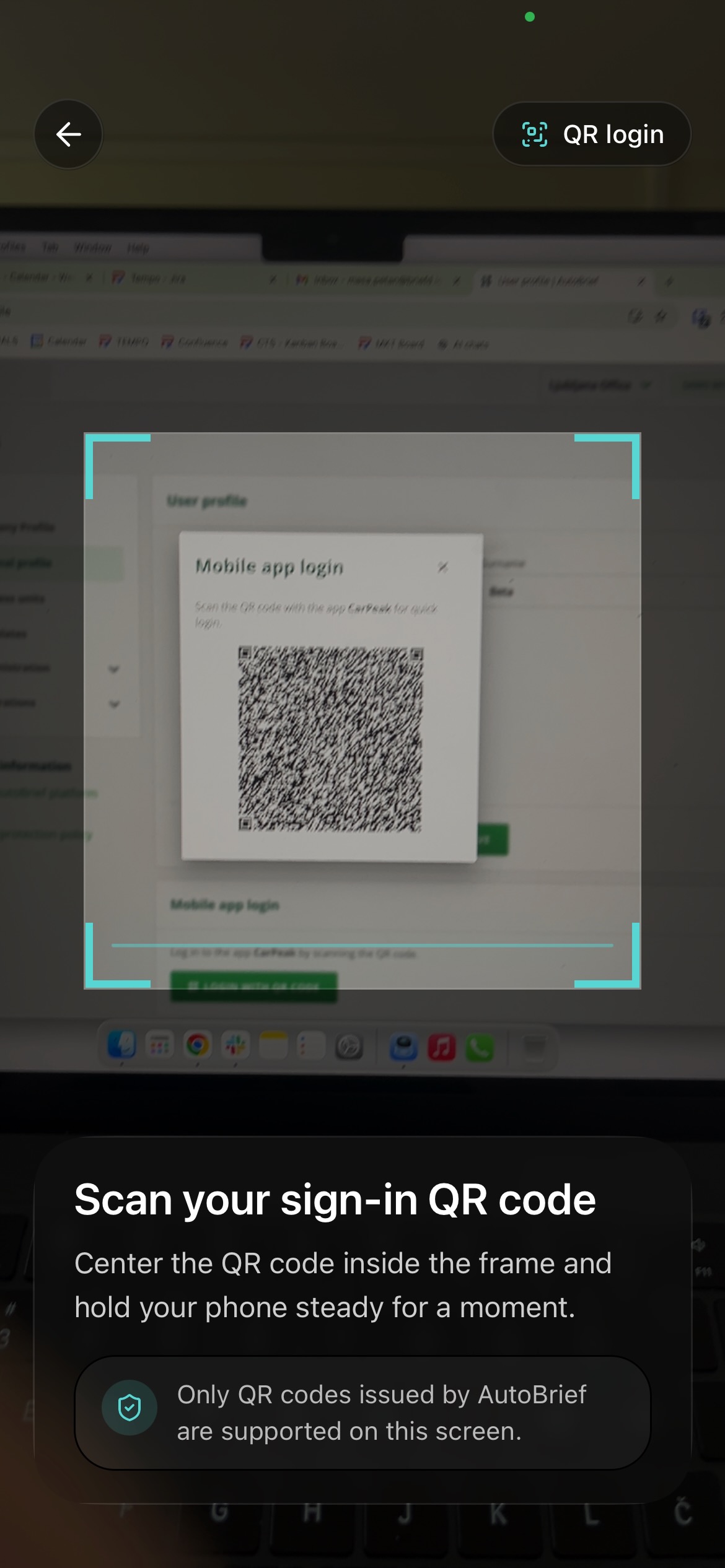
A QR code will be displayed which you scan with the AutoBrief Companion mobile application. Once the code is scanned, you will be logged into the mobile application which will already be populated with your vehicle inventory.
Upon first login a short guide to the application will be displayed and you will receive access to detailed instructions via email, where the entire process is explained step by step.
What does the application offer?
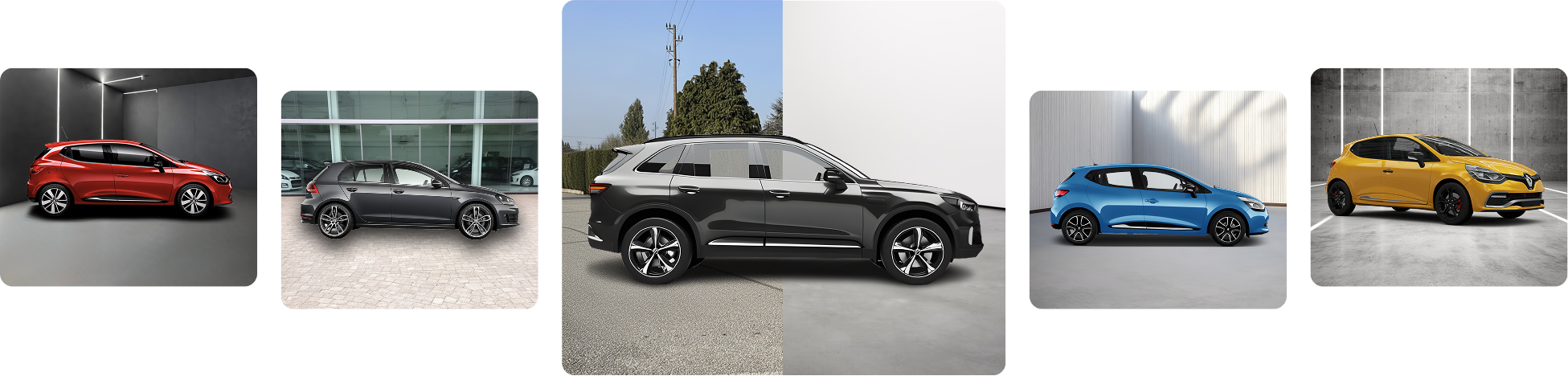
With AutoBrief Companion every team member can create professional sales images of vehicles. The application offers:
- Adding vehicles: Companion allows adding vehicles that are transferred to the AutoBrief inventory.
- Guided photography: Companion guides you through the entire process of photographing the exterior and interior of the vehicle.
- Smart image processing: Companion is capable of replacing backgrounds, hiding license plates, adding a company logo and improving image quality.
- Automatic transfer to AutoBrief: Vehicle data and photos are automatically transferred to the AutoBrief inventory where you can instantly continue editing the vehicle.
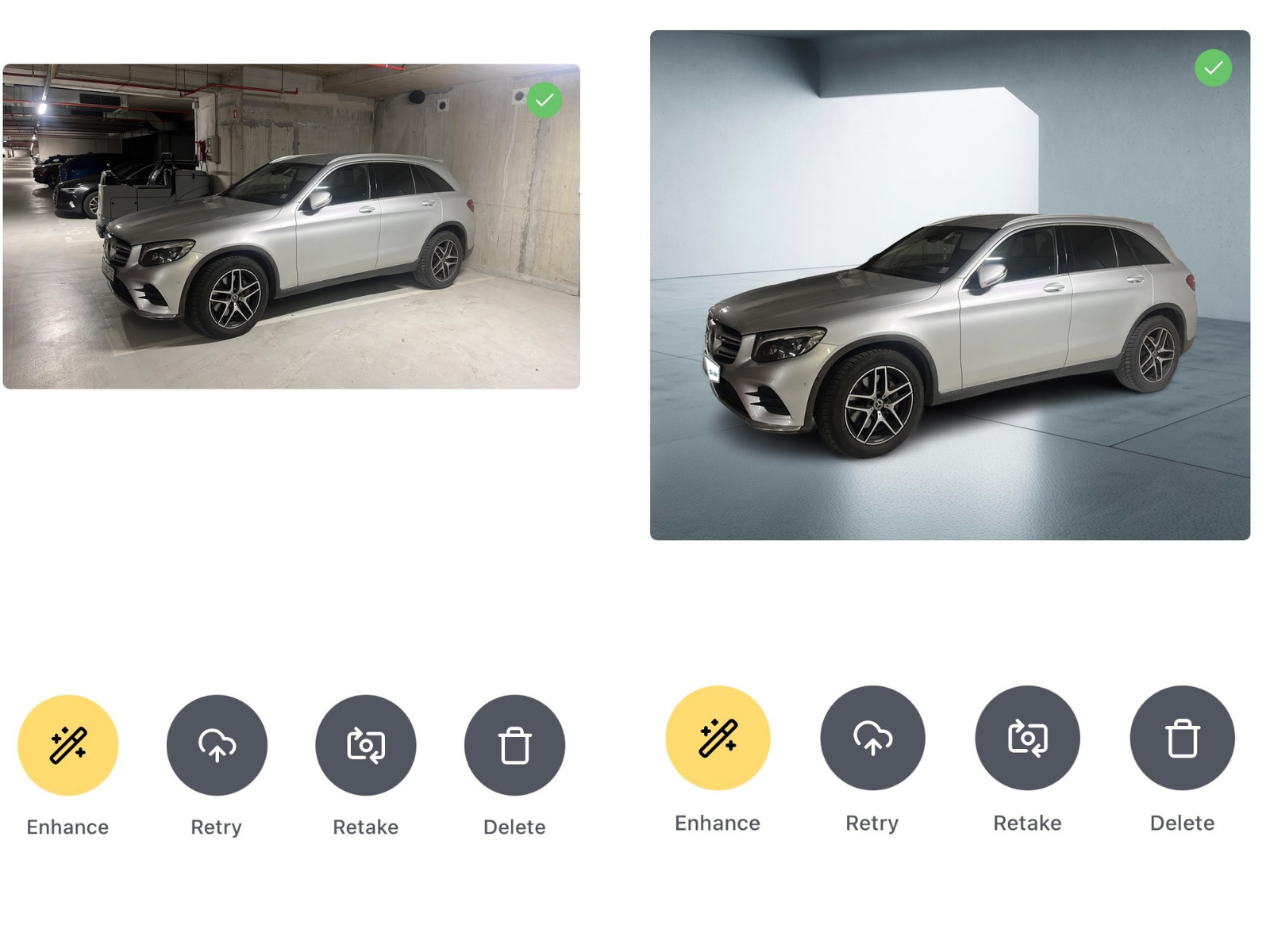
Regardless of who on the team photographs the vehicle, the images look consistent, thus giving a professional impression.
Tip: You can also use AutoBrief Companion as a standalone application. However, you achieve the greatest effect if you use it together with the AutoBrief platform.
Usage Price List
You can try the application for free for the first ten vehicles, that you photograph. After ten vehicles, payment is required according to the price list on the website .
After photographing a vehicle, you can edit it or re-capture the images within 24 hours. After 24 hours, editing the vehicle with the application is locked. Re-editing will be counted as a new vehicle. If you have photographed 9 vehicles and wish to re-photograph one of them after 2 days, this vehicle will be counted as the tenth vehicle.